Sprocket help
Sprocket is a free, cross-platform video editor for Windows, macOS, and Linux. Bring in your video and audio, arrange and trim it on a timeline, adjust how it looks and sounds, and export a finished movie to share.
New here? Start with the Getting started guide — it opens a real project, tours the screen, and walks you through your first edit from beginning to end. Ready to go deeper on editing? See Editing on the timeline.
What you can do
Section titled “What you can do”Get started
Section titled “Get started”- Getting started — your first project, start to finish
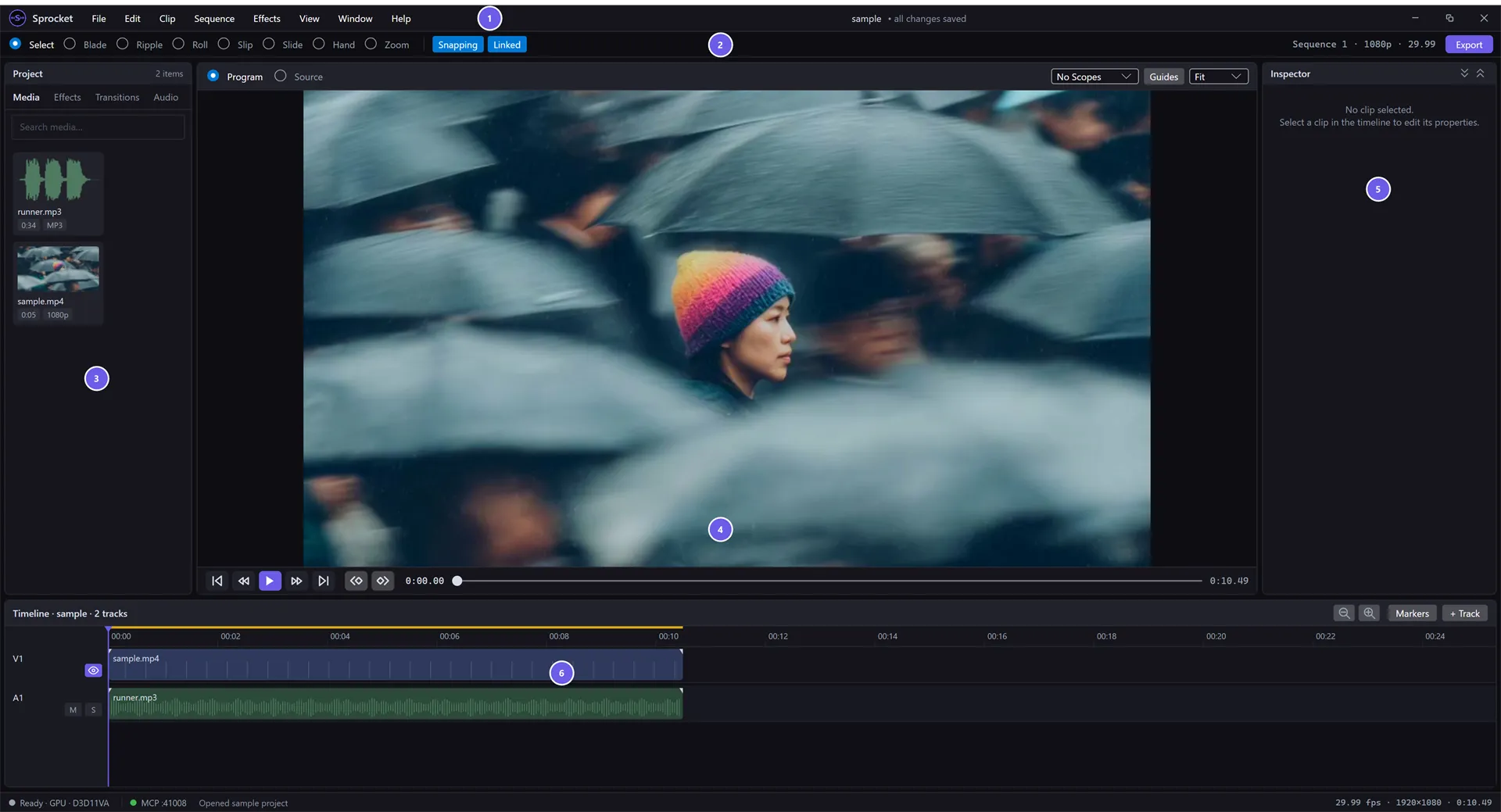
- Find your way around the screen
- Arranging your workspace — resize and hide panels, full screen, reset the layout
- Projects and saving — save, autosave and recovery, relink moved media
- Updates and help — install updates, check your version, find the log files
Import & organize media
Section titled “Import & organize media”- Importing and organizing media — bring in files, read the bin, handle stills and sequences
- Working with log & camera footage
- Editing on the timeline — Select, Blade, Ripple, Roll, Slip, Slide, and more
- Marks and markers — set an in/out range and flag moments
- Three-point editing — cut a marked source range in with Insert and Overwrite
- Titles, generators, and adjustment layers
- Multicam and sequences — cut between angles, nest clips
- Aspect ratio and framing — vertical, square, or widescreen video; Fit and Fill
Effects & color
Section titled “Effects & color”- Effects & the effect stack
- Transitions — blend one clip into the next
- Keyframing — animate effect parameters over time
- Color grading — White Balance, Color Wheels, Curves, and the HSL Qualifier
Export & share
Section titled “Export & share”Playback & performance
Section titled “Playback & performance”- Preview and monitors — Program vs. Source, zoom, framing guides, full screen
- Proxies and rendering for smooth playback
- Troubleshooting choppy playback — the Playback Statistics window
AI & automation
Section titled “AI & automation”Prefer a PDF?
Section titled “Prefer a PDF?”Download the complete manual as a single file: Sprocket User Guide (PDF).
Just want to try it?
Section titled “Just want to try it?”Open the File menu and choose Open Sample Project — Sprocket loads a short video and audio clip you can edit straight away, no footage of your own required.
All product and company names mentioned in this guide are trademarks of their respective owners. Sprocket is not affiliated with, endorsed by, or sponsored by them.